> ## Documentation Index
> Fetch the complete documentation index at: https://docs.anglpay.com/llms.txt
> Use this file to discover all available pages before exploring further.
# Nuvei
> Connect to Nuvei to accept card payments and local payment methods.
Nuvei is a global payment provider that supports cards, local payment methods, and alternative payment options across multiple regions.
## Supported payment methods
| Method | Countries | Currencies | Notes |
| -------------------------- | ------------------- | --------------------- | ------------------------------------------ |
| [Bank](./nuvei-bank) | `US` | `USD` | ACH bank payments via direct bank details. |
| [Card](./nuvei-card) | `AD`, `AE`, 82 more | `AED`, `ALL`, 77 more | Card processing via Nuvei. |
| [iDEAL](./nuvei-ideal) | `NL` | `EUR` | Bank redirect in the Netherlands. |
| [Interac](./nuvei-interac) | `CA` | `CAD` | Bank redirect in Canada. |
| [Klarna](./nuvei-klarna) | `AT`, `BE`, 19 more | `CHF`, `CZK`, 7 more | BNPL redirect payments. |
| [Przelewy24](./nuvei-p24) | `PL` | `PLN` | Bank redirect in Poland. |
| [PSE](./nuvei-pse) | `CO` | `COP`, `USD` | Bank redirect in Colombia. |
| [Wero](./nuvei-wero) | `BE`, `DE` | `EUR` | Digital wallet payments. |
## Setup
Nuvei do not provide self-service sign-up for a sandbox account. To sign up,
please
[contact the Nuvei sales team](https://nuvei.com/merchant-sales-inquiries/).
## Credentials
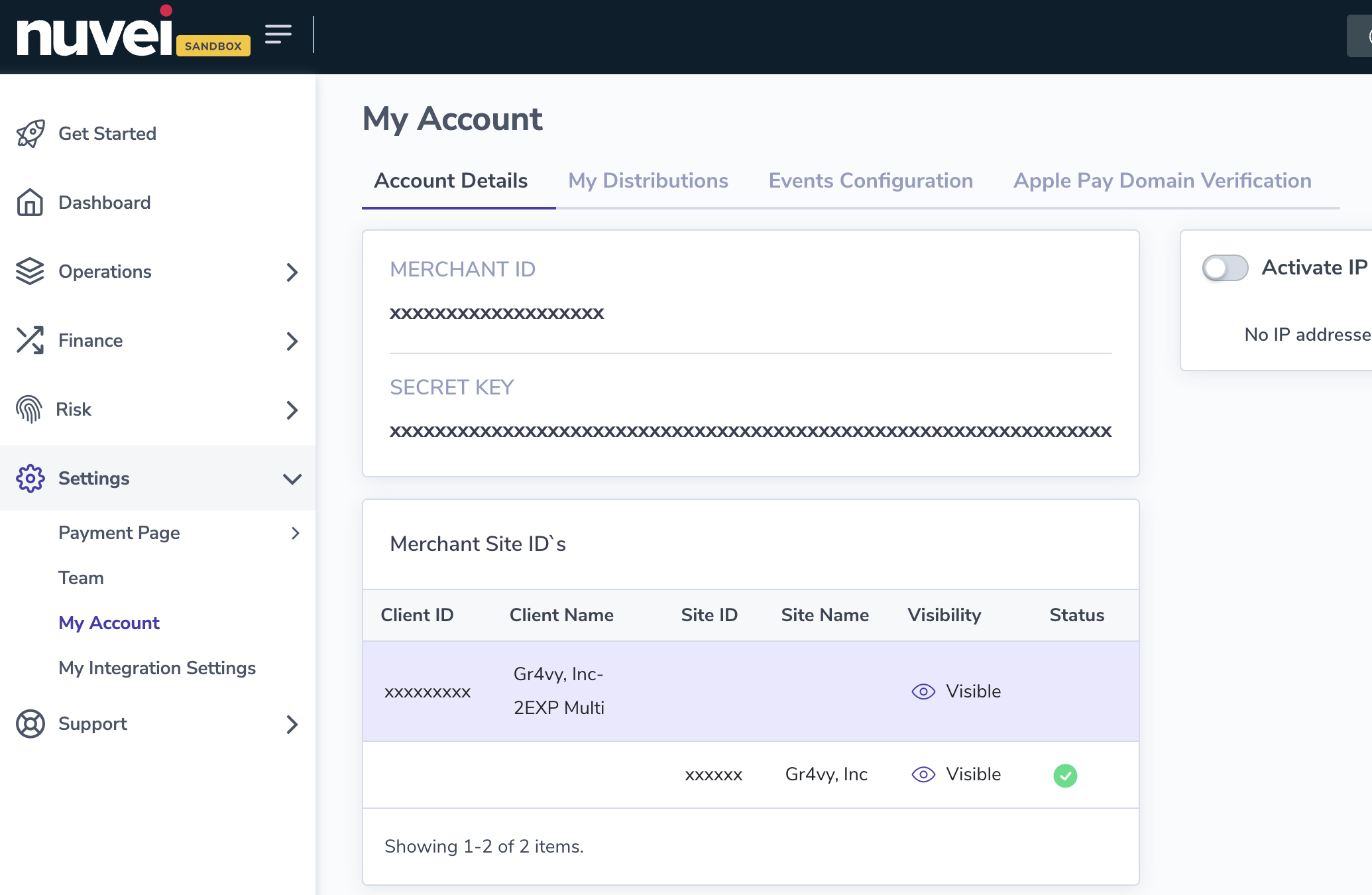
When setting up Nuvei in the dashboard, configure the
following credentials, which are obtained from Nuvei.
* Merchant ID
* Client ID
* Secret key
* Merchant Site ID
Most of these can be found by logging into the Nuvei Admin Portal and going to **Settings** ->
**Account**