> ## Documentation Index
> Fetch the complete documentation index at: https://docs.anglpay.com/llms.txt
> Use this file to discover all available pages before exploring further.
# Plaid Signal setup
> Configure Plaid Signal rulesets for risk assessment.
This guide explains how to configure Plaid Signal rulesets for use with the API. Before you begin, make sure you've [configured your Plaid connection](/connections/payments/plaid-bank) and completed the [integration flow](/connections/payments/plaid-bank-integration).
## Create a Signal ruleset in Plaid
Create a ruleset in the Plaid dashboard following the official guide: [Creating a ruleset](https://plaid.com/docs/signal/signal-rules/#creating-a-ruleset).
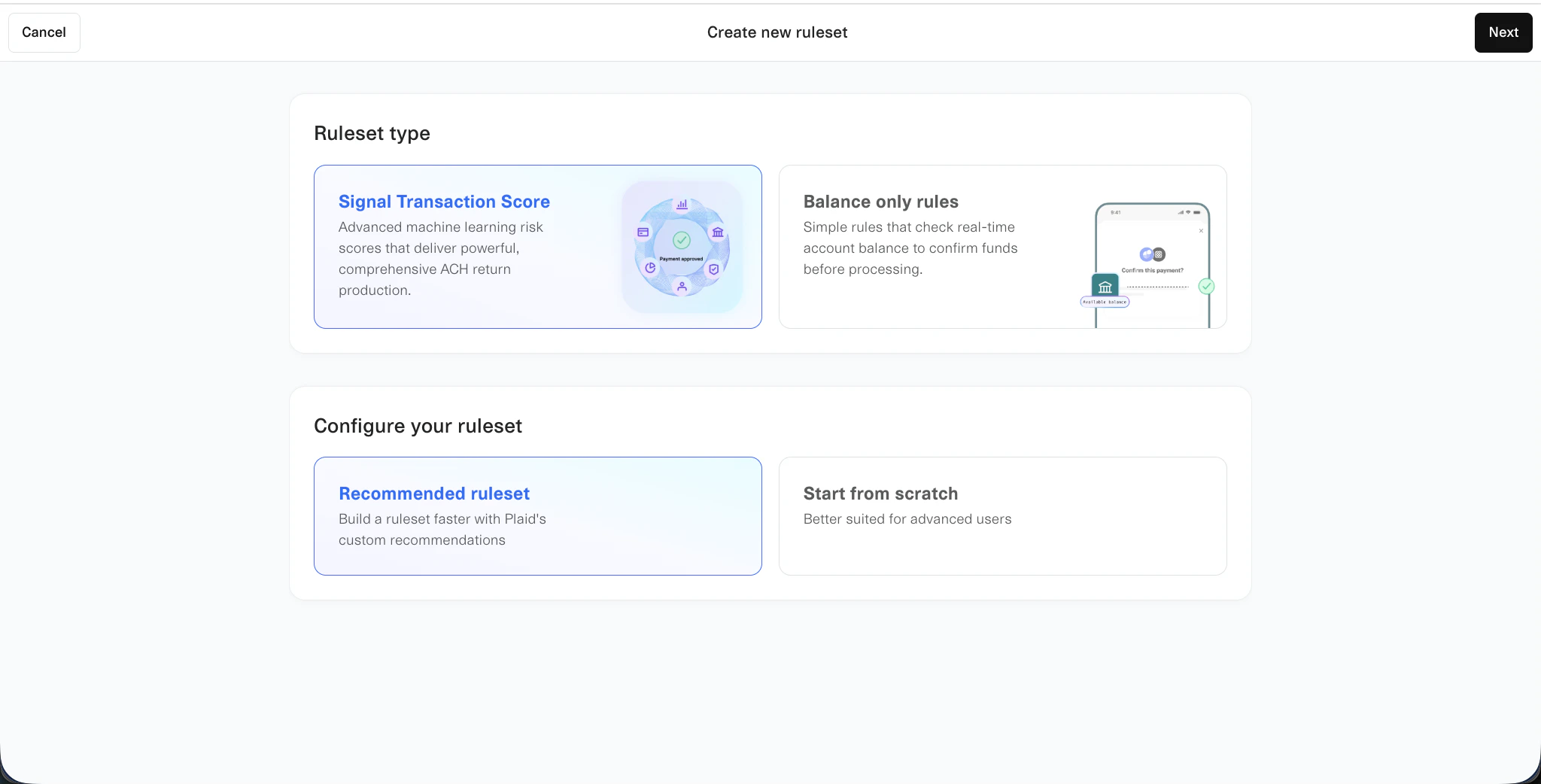
When creating the ruleset, use the following selections:
* **Ruleset type:** Signal Transaction Score
* **Configure your ruleset:** Recommended ruleset
 ## Pick a risk tolerance
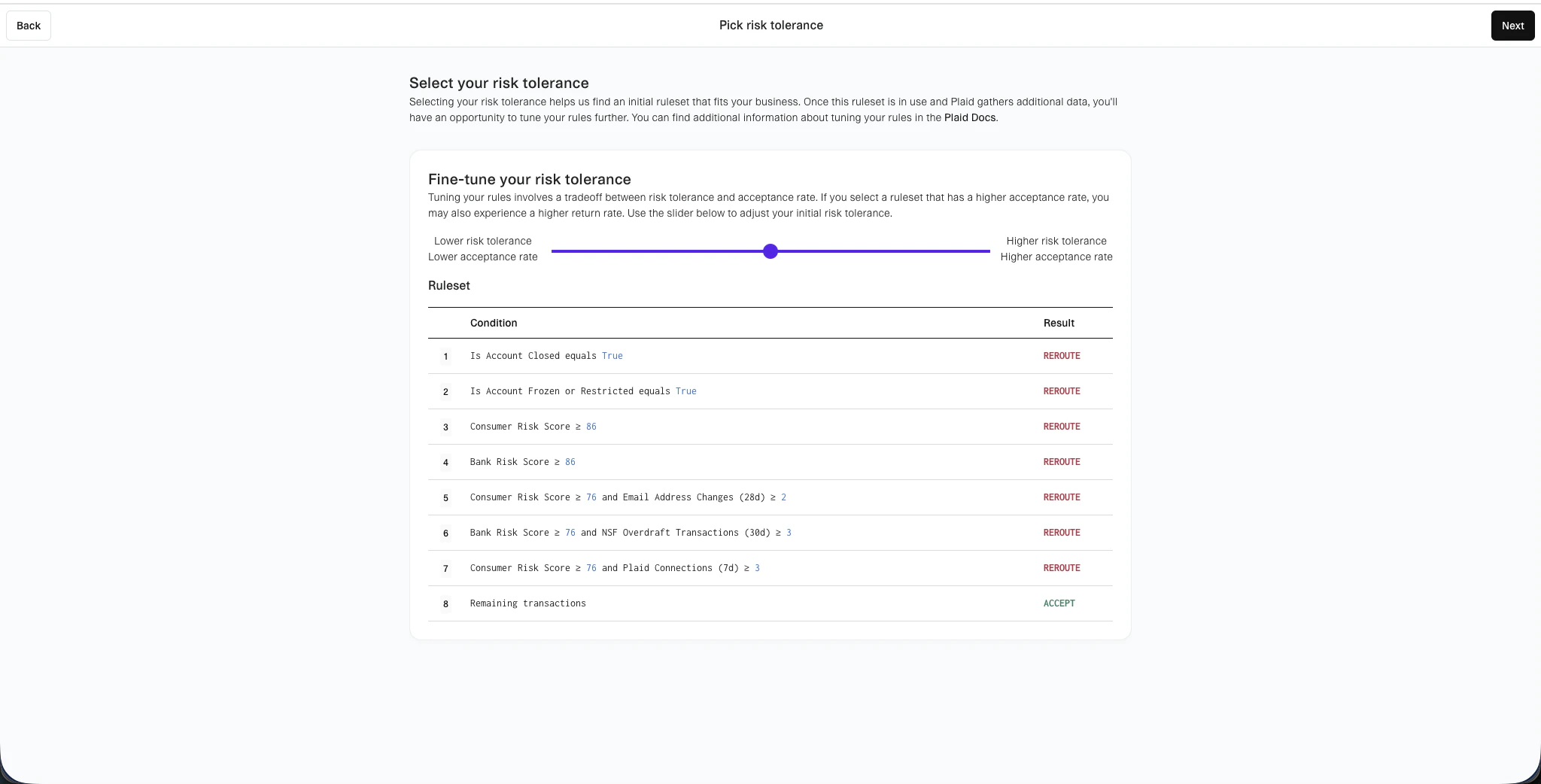
On the **Pick risk tolerance** step, adjust the slider to match your desired balance of acceptance rate versus risk tolerance. This sets the initial rule conditions for the ruleset.
## Pick a risk tolerance
On the **Pick risk tolerance** step, adjust the slider to match your desired balance of acceptance rate versus risk tolerance. This sets the initial rule conditions for the ruleset.
 ## Set the ruleset key
Set the `ruleset-key` field to `gr4vy-decision`. The system uses this key to retrieve the ruleset during Signal evaluation.
## Set the ruleset key
Set the `ruleset-key` field to `gr4vy-decision`. The system uses this key to retrieve the ruleset during Signal evaluation.