> ## Documentation Index
> Fetch the complete documentation index at: https://docs.anglpay.com/llms.txt
> Use this file to discover all available pages before exploring further.
# Settlement report ingestion
To create a unified settlement report, settlement data needs to be imported from configured payment services. To do so,
some additional credentials might be required.
## Setup
Settlement report ingestion can be enabled for each connector via the dashboard.
Head over to the dashboard, and go to **Connections**, select the connection, and if settlement
report import is supported there is a **Settlement** tab.
To enable settlement reporting, click the **Enable settlement ingestion** checkbox and fill in any additional details that might be needed,
like an SFTP username and password, or an API key.
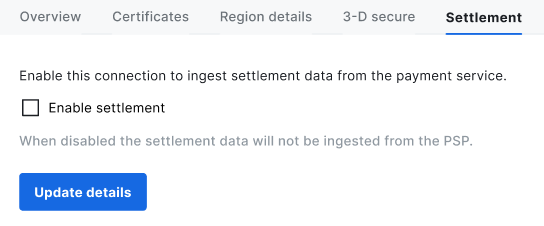 Once set up, save the details and settlement files start being imported.
Please note that enabling the connection for importing settlement data does not automatically [schedule the creation](./scheduling) of
any unified settlement reports.
Once set up, save the details and settlement files start being imported.
Please note that enabling the connection for importing settlement data does not automatically [schedule the creation](./scheduling) of
any unified settlement reports.