> ## Documentation Index
> Fetch the complete documentation index at: https://docs.anglpay.com/llms.txt
> Use this file to discover all available pages before exploring further.
# commercetools Administration
## Payment information
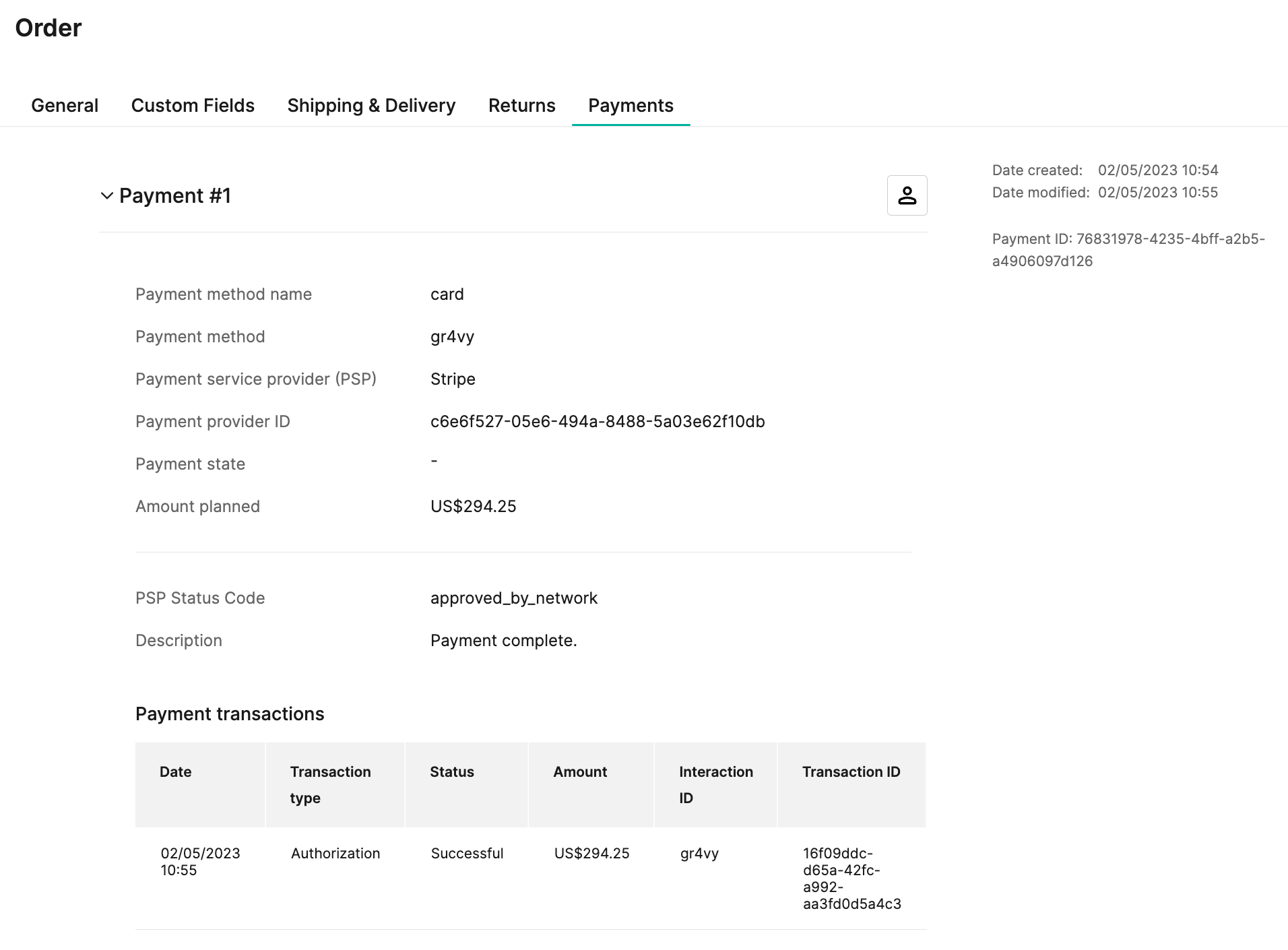
Payment information can be found on the order details pages in the
commercetools Merchant Center by going to **Orders** -> **\[Select Order]**.
Information such as transaction ID, transaction status, and transaction amount,
currency etc. are available on the **Payments** tab.
 ## Capture a payment
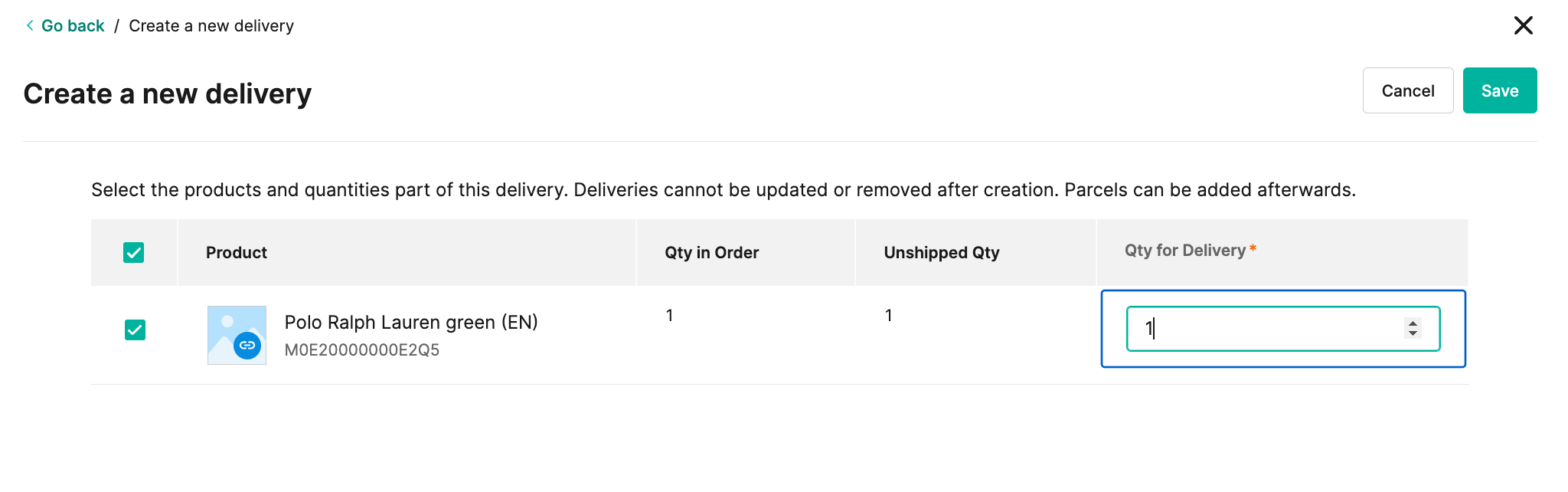
An administrator can capture an authorized transaction by creating a new delivery for the order.
To do this, go to **Orders** -> **\[Select Order]** -> **Shipping & Delivery** -> and select
the **+ Add Delivery** button under **Deliveries**.
Select the items and quantities to be delivered and then select
**Save** to capture the payment.
## Capture a payment
An administrator can capture an authorized transaction by creating a new delivery for the order.
To do this, go to **Orders** -> **\[Select Order]** -> **Shipping & Delivery** -> and select
the **+ Add Delivery** button under **Deliveries**.
Select the items and quantities to be delivered and then select
**Save** to capture the payment.
 **Capture**
Capture is not available if the **Payment Action** configuration is
set to **Authorize and Capture**.
## Refund a payment
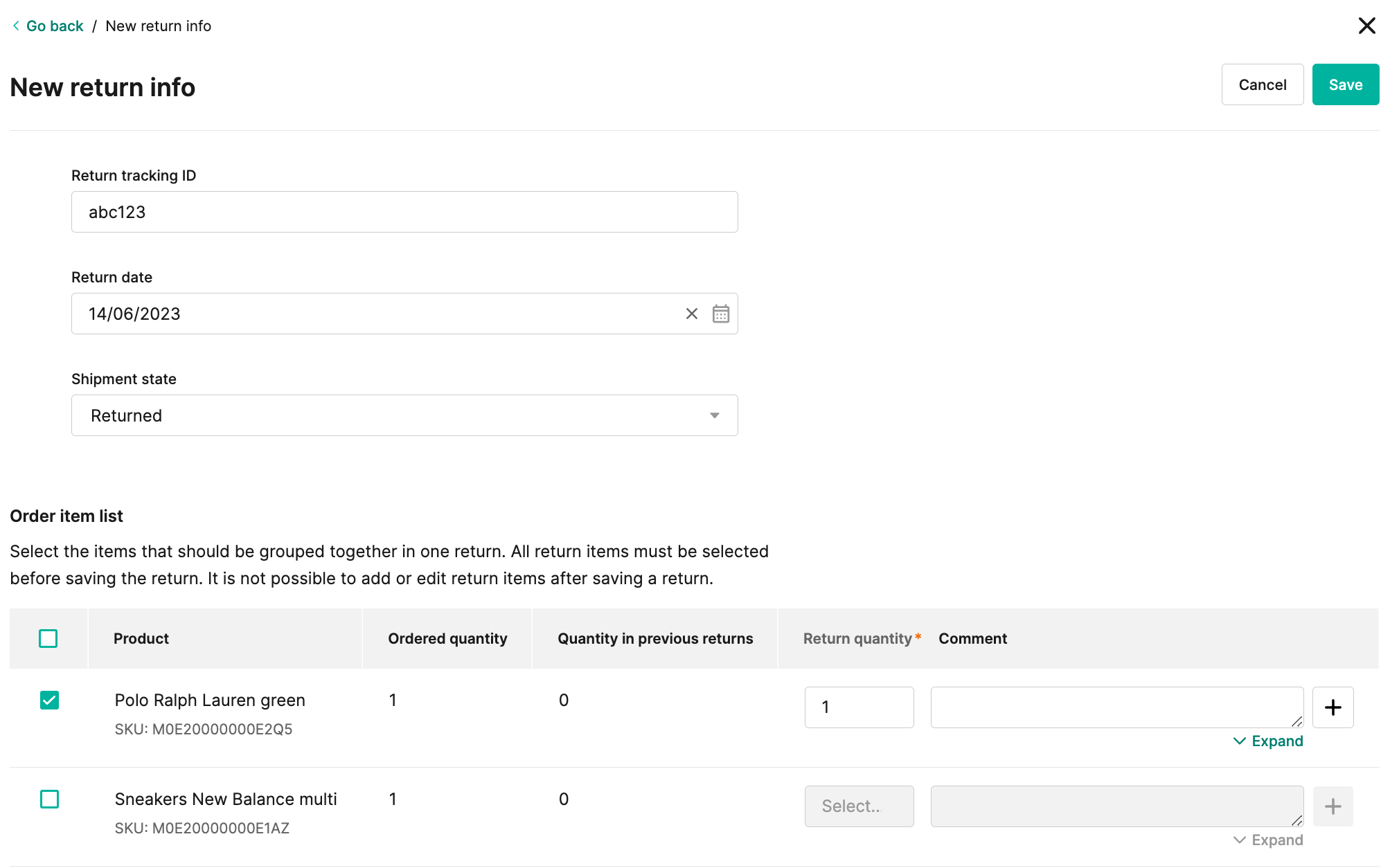
An administrator can refund a transaction by creating a new return for an order.
To do this, go to **Orders** -> **\[Select Order]** -> **Returns** -> and click the **+ Create return** button.
Select the items and quantities that are returned and then click **Save** to refund the payment.
**Capture**
Capture is not available if the **Payment Action** configuration is
set to **Authorize and Capture**.
## Refund a payment
An administrator can refund a transaction by creating a new return for an order.
To do this, go to **Orders** -> **\[Select Order]** -> **Returns** -> and click the **+ Create return** button.
Select the items and quantities that are returned and then click **Save** to refund the payment.